 Get 30% Off On Selected Items

Buying earphones should be easy. Then you open ten tabs, see words like “low latency”, “ANC”, “7.1 surround”, “hi-res audio”, “Bluetooth codec”, and suddenly every pair sounds either perfect or suspiciously overhyped.
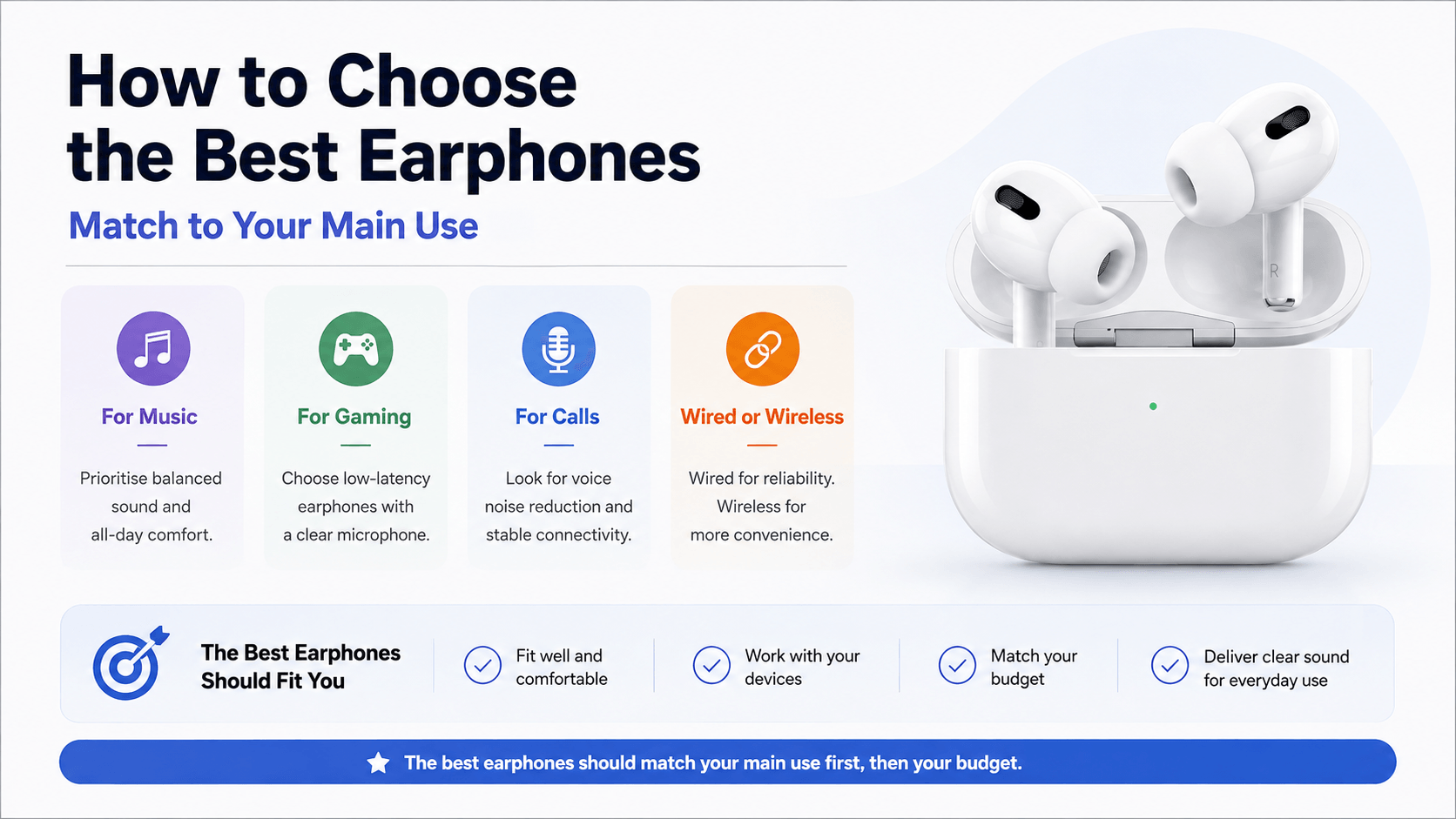
To choose the best earphones, match them to your main use. For music, prioritise balanced sound and comfort. For gaming, choose low-latency earphones with a clear microphone. For calls, look for voice noise reduction and stable connectivity. Wired earphones are best for reliability, while wireless earbuds offer more convenience. The right earphones should fit well, work with your devices, match your budget and deliver clear sound for everyday listening, gaming and conversations.
The real issue is that the best earphones are not always the priciest. They are the ones that fit your use
Music needs comfort and clear sound. Gaming needs low latency. Calls need a strong microphone. This guide explains how to choose the best earphones for music, gaming, calls, work and everyday use without getting lost in confusing specs.
How to Choose the Best Earphones in a Glance
The best earphones should match your main use case first, then your budget.
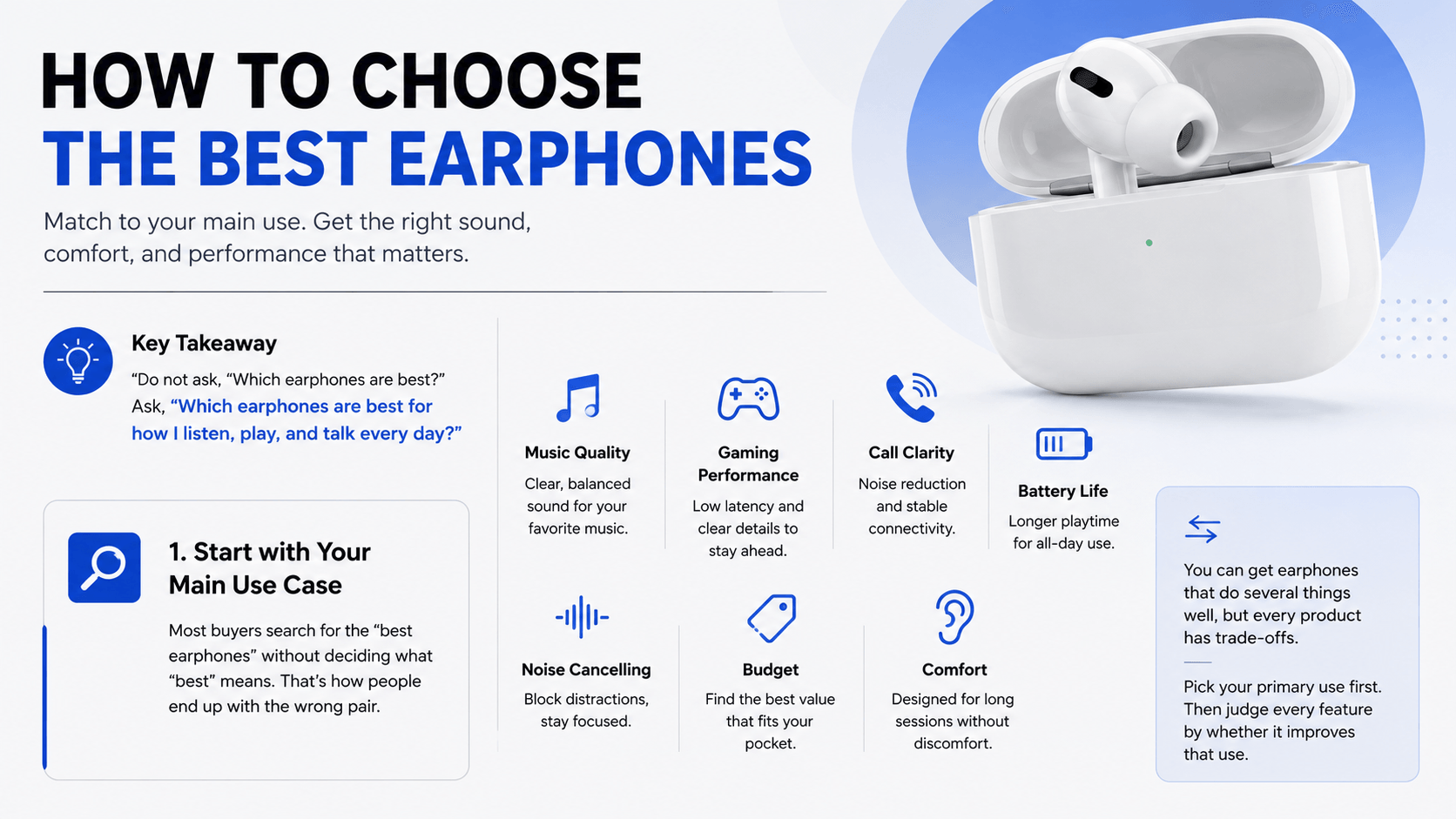
Key takeaway Do not ask, “Which earphones are best?” Ask, “Which earphones are best for how I listen, play, and talk every day?”
Not sure where to start? Here are some of the best earphones and headsets to consider based on how you listen, play and take calls, from wireless gaming earbuds to reliable, wired headsets for work.
1. Start with Your Main Use Case
Most buyers make the same mistake: they search for the “best headphone earbuds” without deciding what “best” means.
That is how people end up with the wrong pair.
Before comparing models, choose your main priority:
Music quality
Gaming performance
Call clarity
Battery life
Noise cancelling
Budget
Comfort for long sessions
You can get earphones that do several things well, but every product has trade-offs.
For example, the best budget earphones may sound great for Spotify and YouTube but may not have the lowest latency for competitive gaming. Premium wireless earbuds earphones may offer excellent ANC but still lose to wired earphones for instant response.
Pick your primary use first. Then judge every feature by whether it improves that use.
2. Music: What Makes Earphones Sound Good?
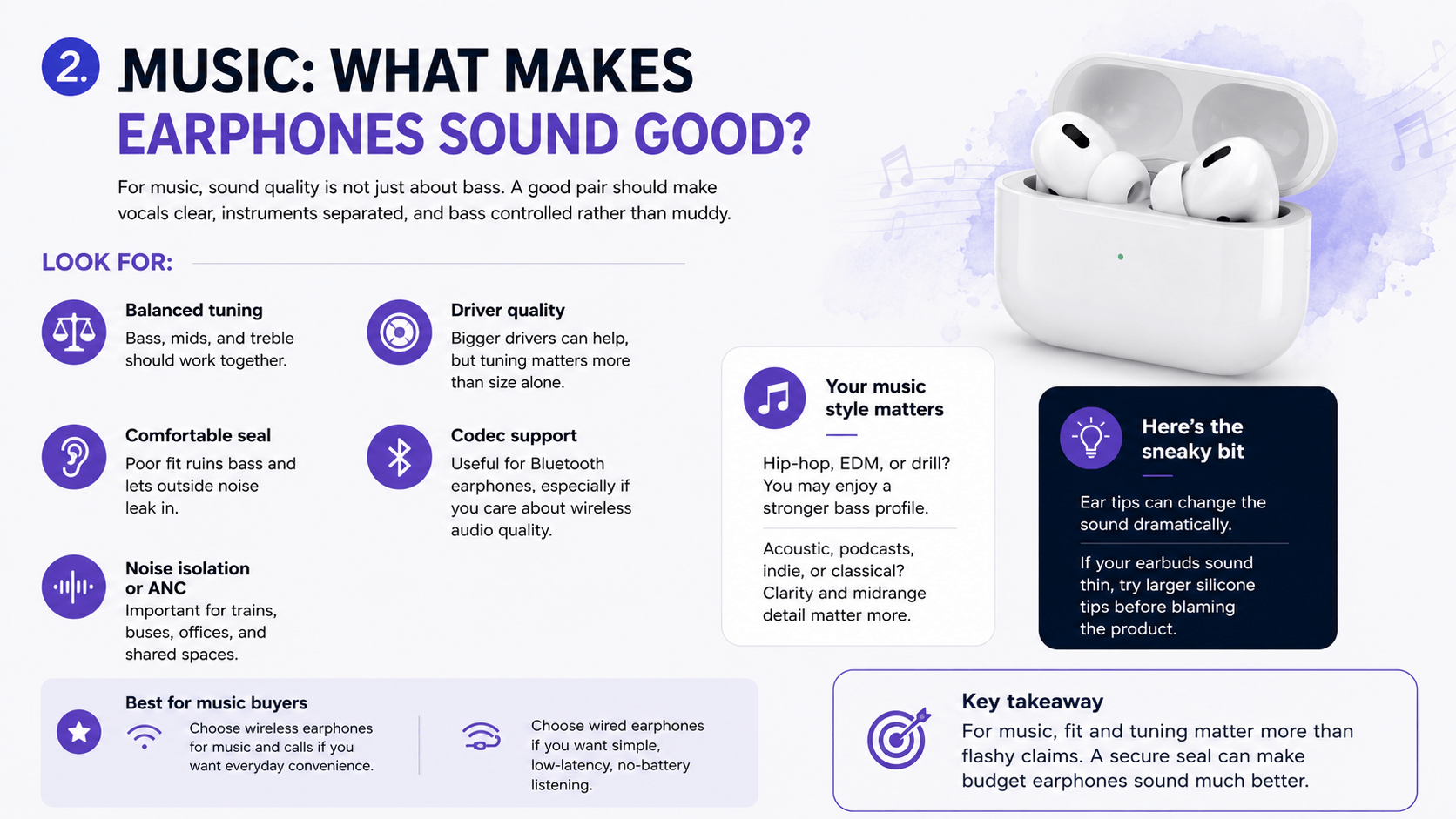
For music, sound quality is not just about bass. A good pair should make vocals clear, instruments separated, and bass controlled rather than muddy.
Look for:
Balanced tuning: Bass, mids, and treble should work together.
Driver quality: Bigger drivers can help, but tuning matters more than size alone.
Comfortable seal: Poor fit ruins bass and lets outside noise leak in.
Codec support: Useful for Bluetooth earphones, especially if you care about wireless audio quality.
Noise isolation or ANC: Important for trains, buses, offices, and shared spaces.
If you listen to hip-hop, EDM, or drill, you may enjoy a stronger bass profile. If you listen to acoustic, podcasts, indie, or classical, clarity and midrange detail matter more.
Here’s the sneaky bit: ear tips can change the sound dramatically. If your earbuds sound thin, try larger silicone tips before blaming the product.
Best for music buyers
Choose wireless earphones for music and calls if you want everyday convenience. Choose wired earphones if you want simple, low-latency, no-battery listening.
Key takeaway For music, fit and tuning matter more than flashy claims. A secure seal can make budget earphones sound much better.
3. Gaming: Why Latency Matters More Than Loudness
Gaming audio is different from music audio.
In games, timing matters. You want to hear footsteps, reloads, direction, distance, and team chat without delay. That is why many gamers still care about wired vs wireless earphones.
What to look for in gaming earphones
Low latency: Reduces delay between action and sound.
Clear microphone: Essential for squad chat.
Directional audio: Helps with footsteps and spatial awareness.
Comfort: Long sessions need lightweight design.
Stable connection: Dropouts during ranked matches are not the vibe.
Platform compatibility: Check PC, Xbox, PlayStation, Switch, or mobile support.
Gaming earphones for music can work well if they have balanced sound and a good mic. However, some gaming-focused models boost bass heavily, which can make explosions exciting but vocals less natural.
Want a headset instead of earbuds? Explore best gaming headphones with microphone if voice chat, comfort, and immersion are bigger priorities than portability.
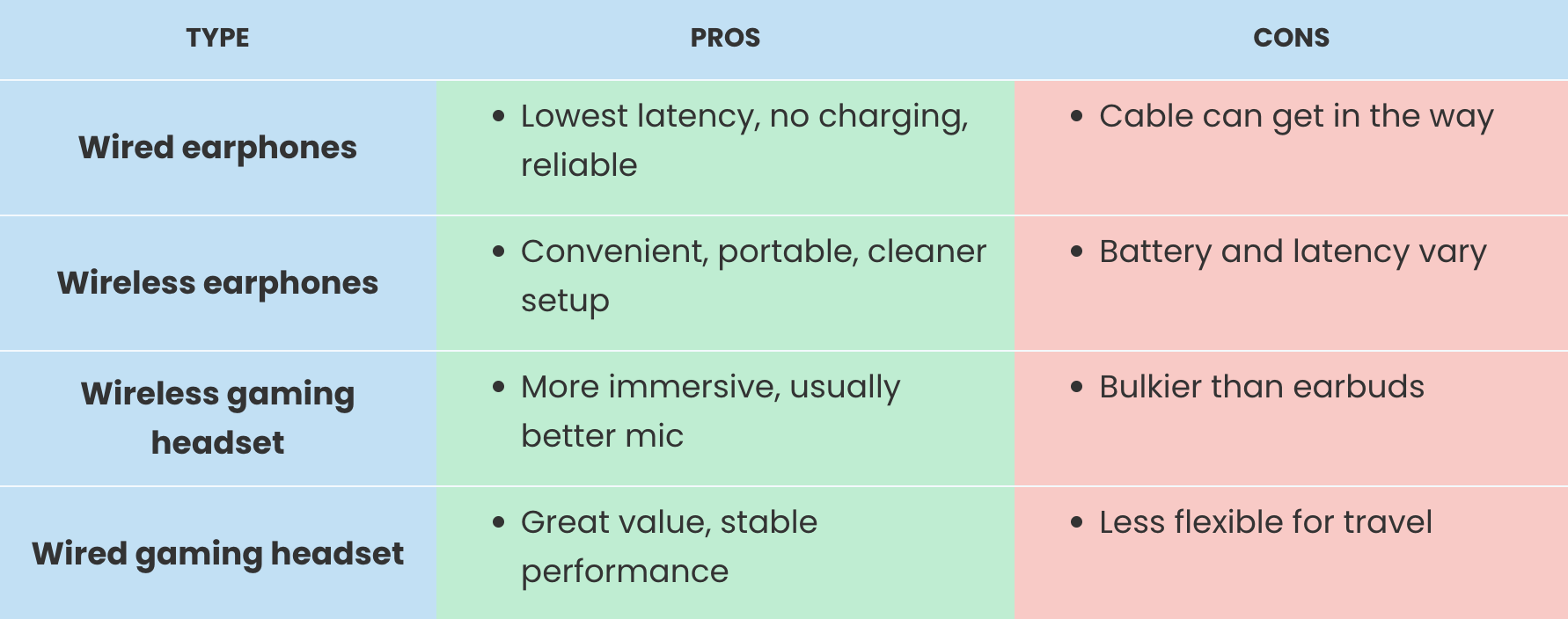
Wired vs wireless for gaming
3. Gaming: Why Latency Matters More Than Loudness
Gaming audio is different from music audio.
In games, timing matters. You want to hear footsteps, reloads, direction, distance, and team chat without delay. That is why many gamers still care about wired vs wireless earphones.
What to look for in gaming earphones
Low latency: Reduces delay between action and sound.
Clear microphone: Essential for squad chat.
Directional audio: Helps with footsteps and spatial awareness.
Comfort: Long sessions need lightweight design.
Stable connection: Dropouts during ranked matches are not the vibe.
Platform compatibility: Check PC, Xbox, PlayStation, Switch, or mobile support.
Gaming earphones for music can work well if they have balanced sound and a good mic. However, some gaming-focused models boost bass heavily, which can make explosions exciting but vocals less natural.
Want a headset instead of earbuds? Explore best gaming headphones with microphone if voice chat, comfort, and immersion are bigger priorities than portability.
Wired vs wireless for gaming
For competitive gaming, prioritise latency and mic quality. For casual gaming, wireless comfort may matter more.
If low latency, reliable sound and better value matter most, comparing the best wired headphones by sound quality and price range can help you find a setup that fits both your ears and your budget.
4. Calls and Meetings: The Microphone Is the Deal-Breaker
For calls, the best sound quality in your ears does not matter if people cannot hear you clearly.
Good earphones with microphone should make your voice sound clean, reduce background noise, and stay connected during meetings. This matters for remote work, university calls, customer support, gaming chat, and everyday voice notes.
Look for:
Built-in microphone noise reduction
Stable Bluetooth or USB connection
Comfort for long meetings
Easy mute controls
Compatibility with Teams, Zoom, Google Meet, Discord, and consoles
Good battery life if wireless
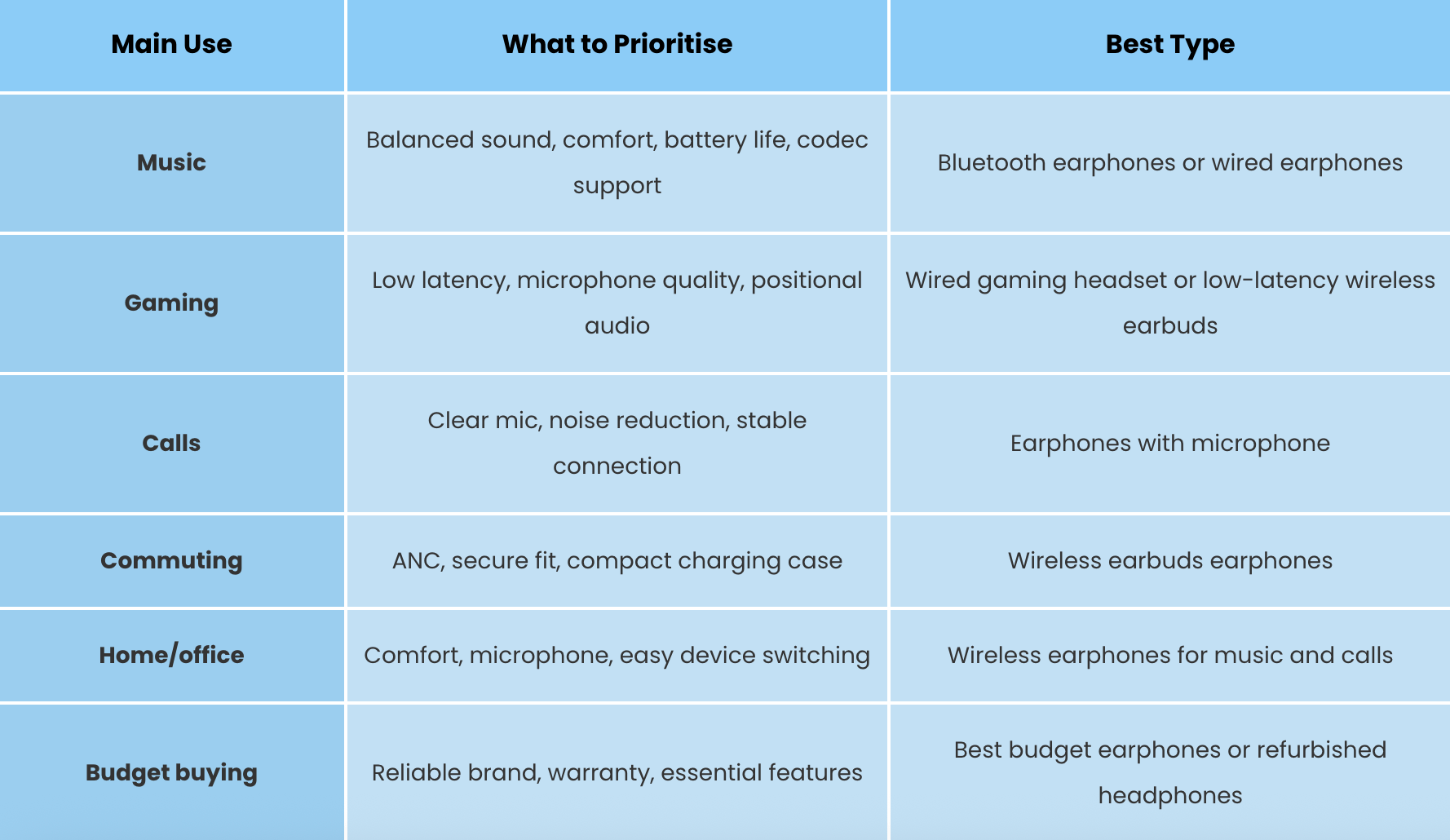
For office use, wired USB headsets can be underrated. They are simple, stable, and do not need charging. For commuting and hybrid work, Bluetooth earphones are more flexible because they can move between phone, laptop, and tablet.
Pattern interrupt: Your call quality is only as good as your noisiest environment. If you take calls near traffic, keyboards, or shared desks, microphone noise reduction should be high on your list.

5. Wired vs Wireless Earphones: Which Should You Choose?
The wired vs wireless earphones debate is not about which is universally better. It is about which inconvenience you prefer.
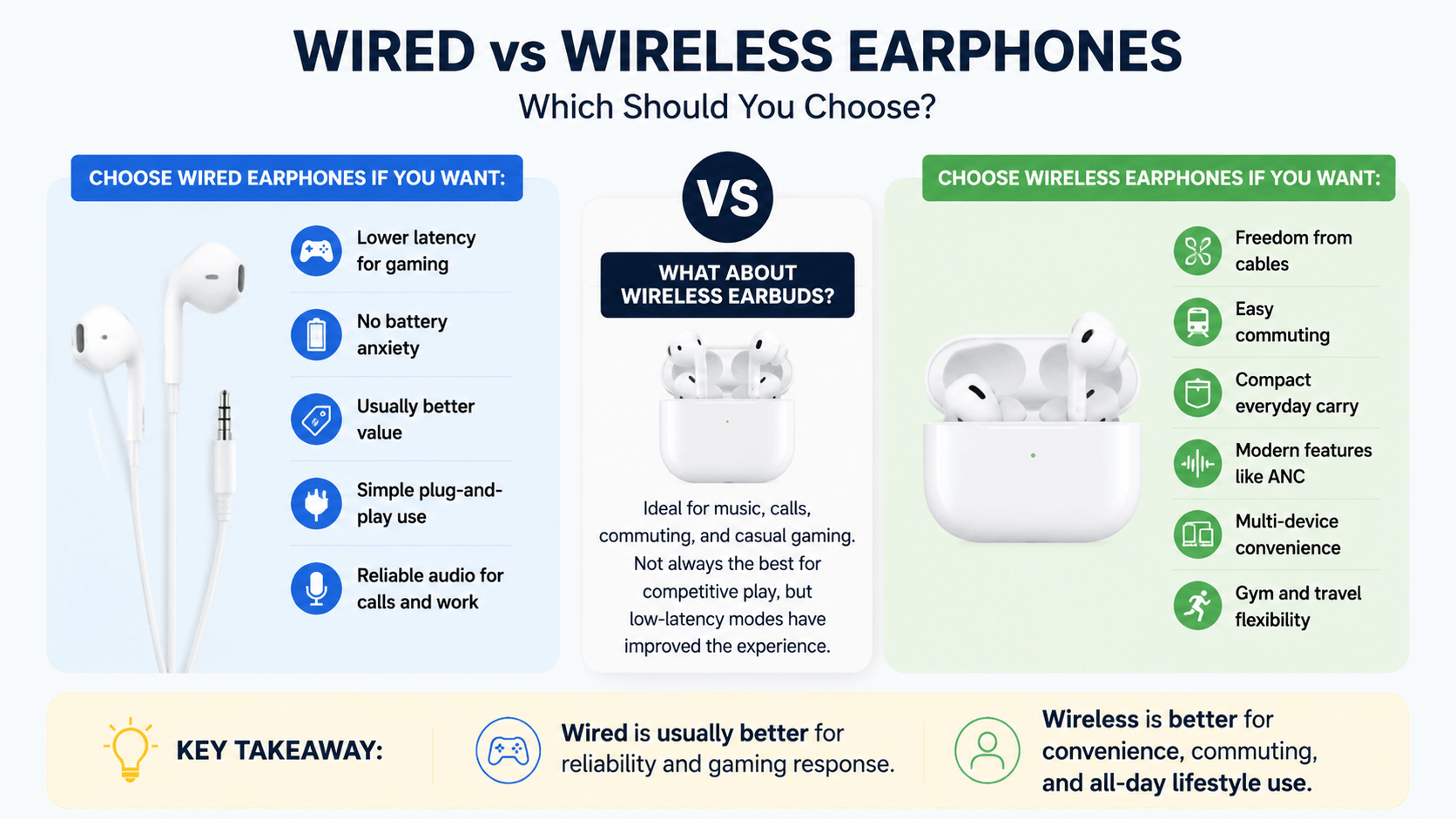
Choose wired earphones if you want:
Lower latency for gaming
No battery anxiety
Usually better value
Simple plug-and-play use
Reliable audio for calls and work
Choose wireless earphones if you want:
Freedom from cables
Easy commuting
Compact everyday carry
Modern features like ANC
Multi-device convenience
Gym and travel flexibility
What about wireless earbuds earphones?
Wireless earbuds are ideal for people who want one pair for music, calls, commuting, and casual gaming. They are not always the best for competitive play, but low-latency modes have improved the experience.
Key takeaway: Wired is usually better for reliability and gaming response. Wireless is better for convenience, commuting, and all-day lifestyle use.
6. Comfort and Fit: The Feature People Ignore Until It Hurts
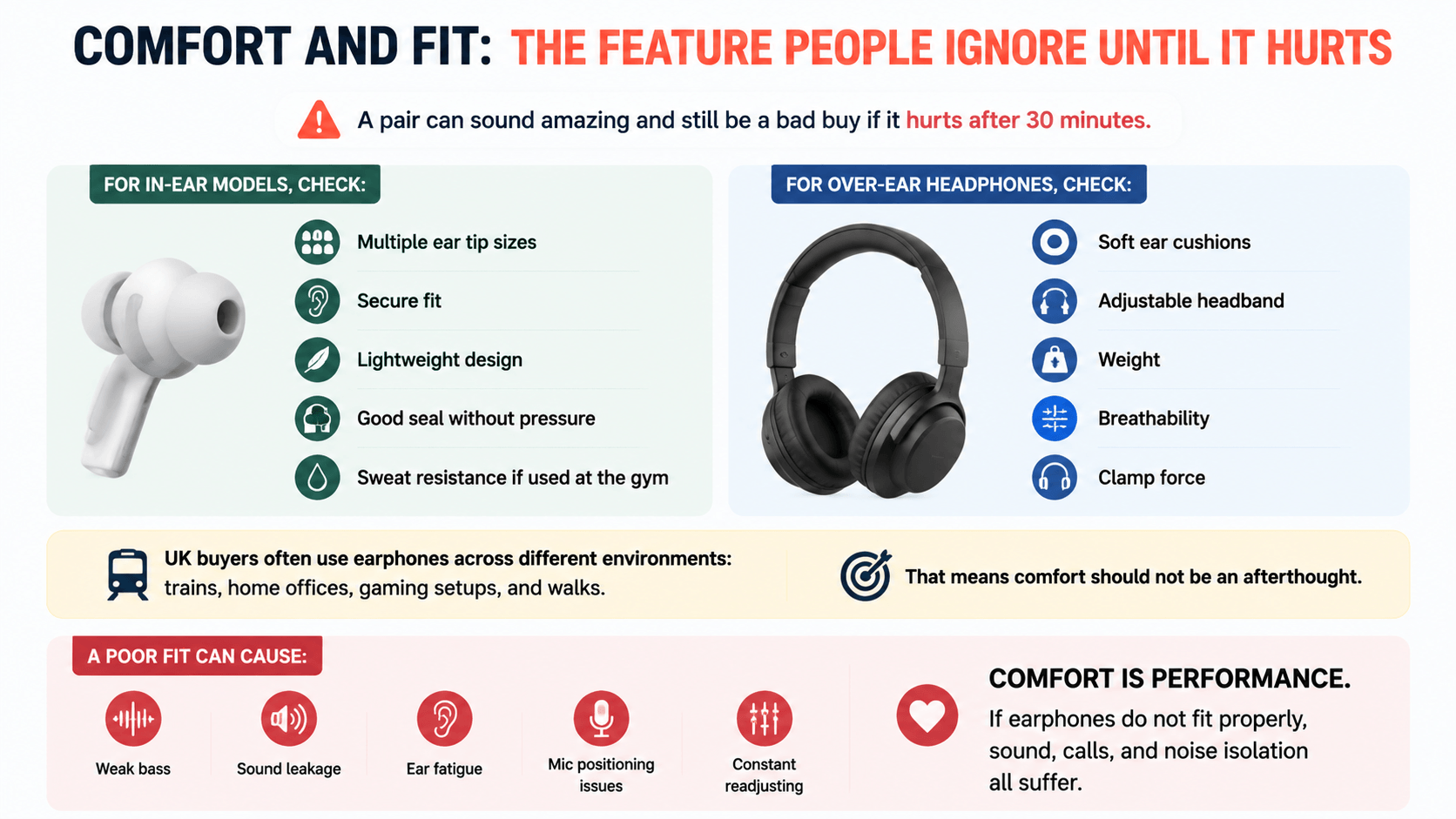
A pair can sound amazing and still be a bad buy if it hurts after 30 minutes.
For in-ear models, check:
Multiple ear tip sizes
Secure fit
Lightweight design
Good seal without pressure
Sweat resistance if used at the gym
For over-ear headphones, check:
Soft ear cushions
Adjustable headband
Weight
Breathability
Clamp force
UK buyers often use earphones across different environments: trains, home offices, gaming setups, and walks. That means comfort should not be an afterthought.
A poor fit can cause:
Weak bass
Sound leakage
Ear fatigue
Mic positioning issues
Constant readjusting
Comfort is performance. If earphones do not fit properly, sound, calls, and noise isolation all suffer.
7. Battery Life and Charging: Do Not Just Trust the Big Number
Wireless earphones often advertise long battery life, but there are two numbers to check:
1. Battery per charge
2. Total battery with charging case
For example, earbuds may last several hours per charge, while the case adds multiple extra charges. That is useful, but not the same as continuous playback.
Also check whether battery life drops when features are enabled, such as:
Active noise cancelling
Low-latency gaming mode
High-quality audio codecs
Always-on microphone use
High volume
For calls, battery drain can be faster because the microphone is active. For gaming, low-latency modes may also reduce battery life.
Practical advice: If you travel, commute, or work long shifts, prioritise reliable charging over headline battery claims.
8. Noise Cancelling vs Noise Isolation
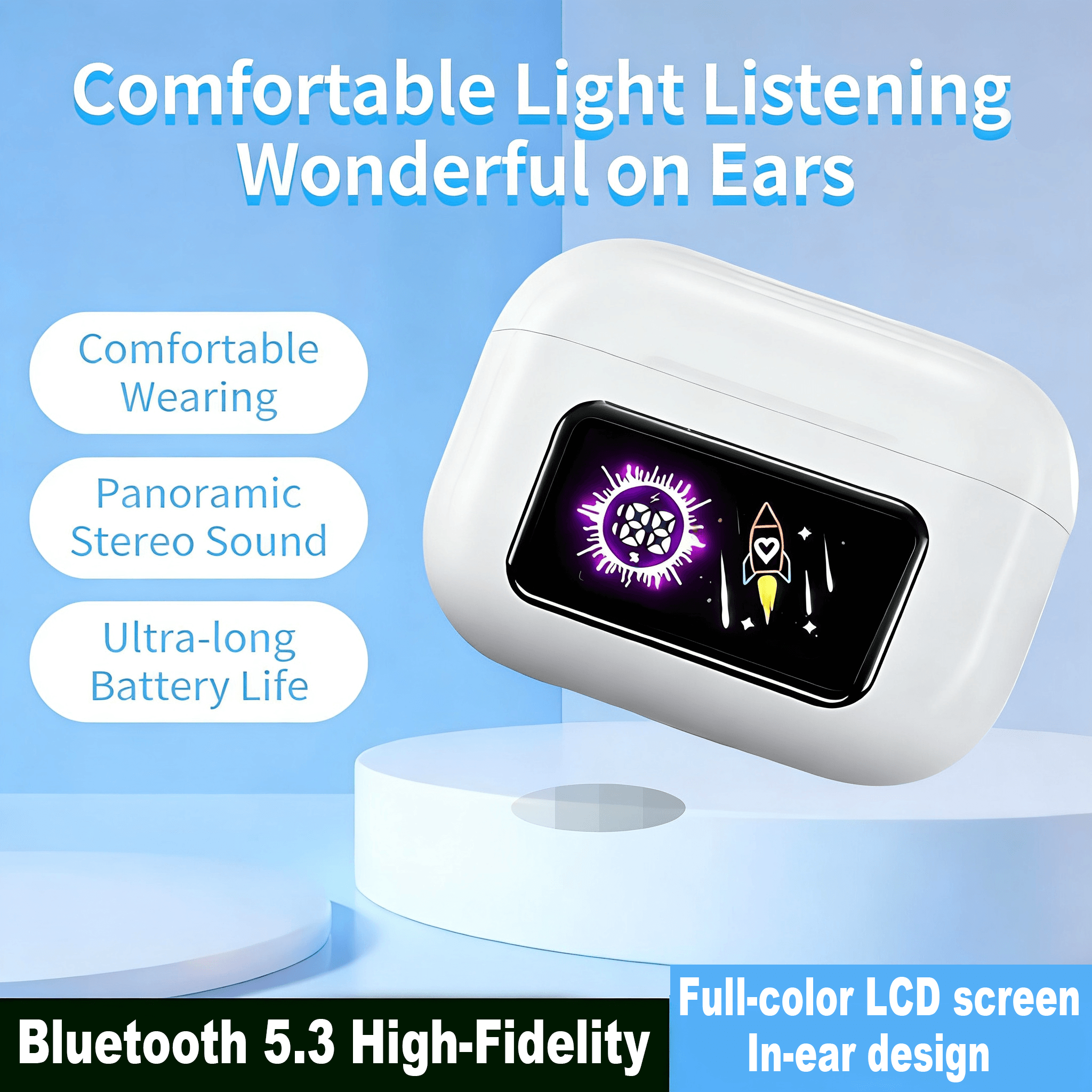
Noise cancelling and noise isolation are not the same thing.
Noise isolation comes from the physical seal of ear tips or ear cups. It blocks sound passively.
Active noise cancelling, or ANC, uses microphones and processing to reduce background noise.
ANC is useful for:
Trains
Buses
Flights
Shared offices
Cafés
Home distractions
However, ANC is less important if you mainly game at home or use wired earphones at a desk. In that case, comfort, microphone, and latency may matter more.
For music lovers and commuters, ANC can make lower volumes feel clearer because your earphones are not fighting background noise.
Key takeaway: ANC is great for travel and focus, but it should not replace good fit, sound tuning, and microphone quality.
If you commute, travel or work in noisy spaces, exploring the best Bluetooth noise-cancelling headphones in 2026 can help you choose a pair that balances comfort, battery life and everyday sound quality.
9. Budget: How Much Should You Spend?
You do not need to overspend to get good audio. The best budget earphones usually focus on core features instead of premium extras. If you are trying to save money without sacrificing audio quality, it is worth understanding whether refurbished headphones are worth it before choosing between new, used and certified refurbished options.
Budget buyers should prioritise:
Reliable sound
Good microphone
Comfortable fit
Known brand or retailer
Warranty and returns policy
Correct connection type
Avoid buying only because of:
Huge bass claims
Unrealistic battery promises
Fake “studio quality” wording
Cheap designs with no support
Unknown compatibility
If you want better value, consider budget refurbished headphones. Refurbished options can make premium audio more accessible while still supporting a smarter buying decision.
For a complete desk or entertainment setup, you may also want affordable speakers for home and office or practical AV accessories for home and office to improve your overall audio experience.
10. Common Mistakes to Avoid
Even smart buyers get caught by audio marketing. Watch out for these mistakes:
Mistake 1: Buying gaming earphones only for bass
Big bass sounds exciting, but too much can hide footsteps, dialogue, and detail.
Mistake 2: Ignoring microphone quality
If you use earphones for calls, meetings, or gaming chat, the mic matters as much as the speakers.
Mistake 3: Forgetting platform compatibility
Some features may work on PC but not console. Always check connection type before buying.
Mistake 4: Choosing wireless without checking latency
Wireless is convenient, but gamers should check whether low-latency mode is included.
Mistake 5: Assuming expensive always means better
Premium features are useful only when you actually use them.
Key takeaway The best earphones are not the ones with the longest spec list. They are the ones with the right features for your daily routine.
11. Earphones Buying Checklist
Before you buy, answer these questions:
Will I use them mainly for music, gaming, calls, or all three?
Do I need wired reliability or wireless freedom?
Is microphone quality important?
Will I use them in noisy places?
Do I need active noise cancelling?
How long do I wear them each day?
Are they compatible with my phone, laptop, console, or tablet?
Is the battery life enough for my routine?
Do they come from a trusted retailer?
Do they fit my budget without sacrificing essentials?
Simple rule: If you cannot explain why a feature matters to you, do not pay extra for it.

Leave a Reply